CableX – Turn Plex Into A Cable Experience
 essentialapple
2 min read
essentialapple
2 min read
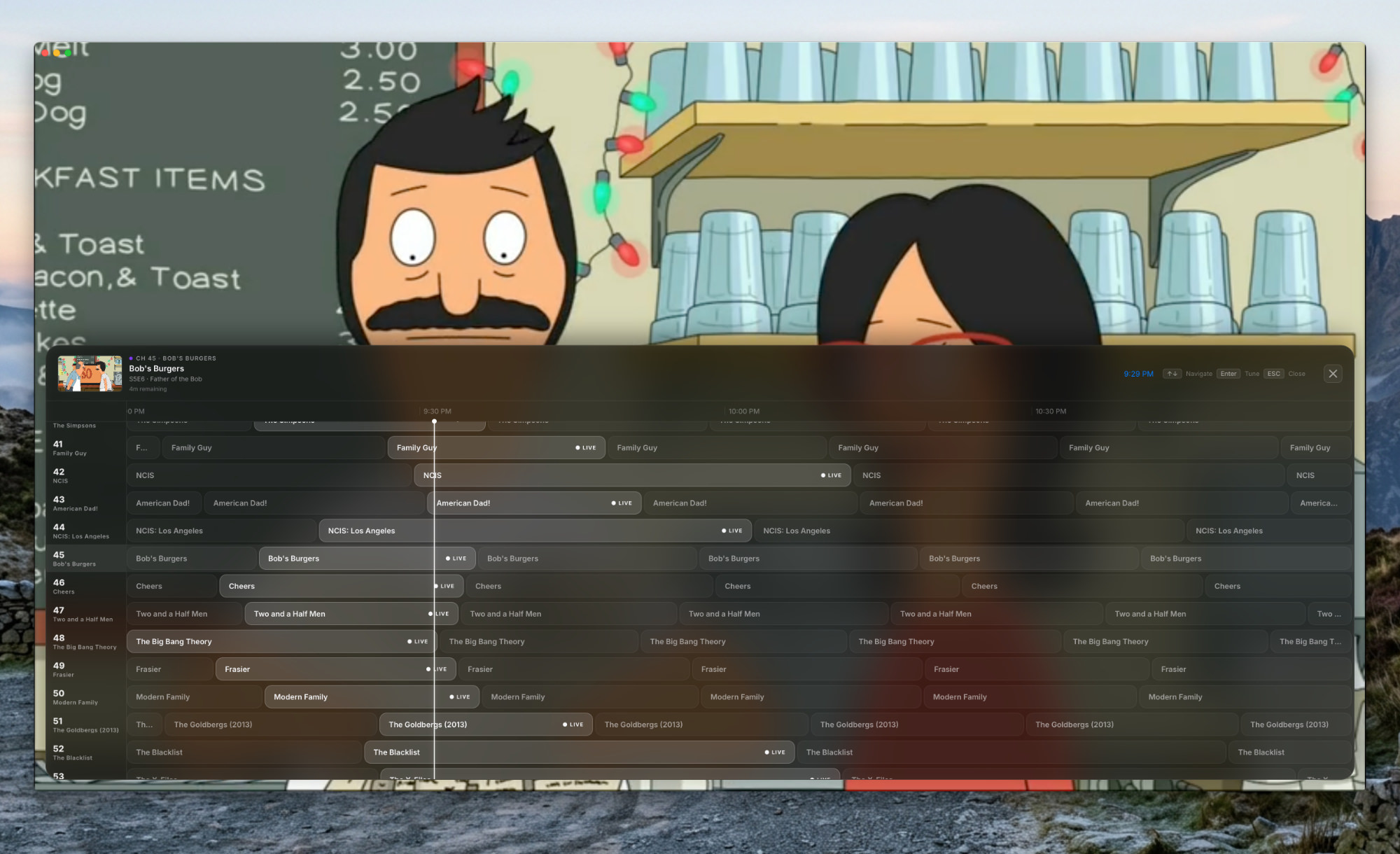
CableX turns your Plex library into multiple simulated live TV channels. Just turn it on and surf. Its aim is to recreate the old-style cable TV boxes back before streaming was a glimmer of hope, using your Plex library as content, and it’s a fun experience. Your fully legal library, that is and no Plex Pass required.
The heart of Plex is the interactive cable guide. A little touch of inspiration from Apples liquid design language (aka transparency) along with some nice blurs and smooth animations make the guide feel instant usable.
Channels are created automatically
Why I love using this app is 2 fold. Using arrow keys to flick up and down channels provides a half second screen of static, just like t’ old days when flicking through analogue channels. Secondly it’s nice to explore content in a different way.
Plex shows you show and series so if your hunting for something specific thats great but we’ve all been there scrolling, trying to find something to watch and spending more time doing that than watching. There’s been films showing on the guide which I’ve not watched in ages and I found myself caught up watching Dodgeball halfway through just like if I’d caught in on tradition tv.
Where it lacks some features
Full Plex (I’ve not used other Jellyfish and others) offers stream customisation such as quality of stream and subtitle selection. Direct Play is the only option so if you’ve a 4k rip and a slow connection, Plex will be the option for you
No watch from beginning. The majority of online platforms allow you to jump back to the start of what your watching, I’d love for that feature to hit CableX as missing it prompts me to jump back into Plex.
CableX is available as native for for both Silicon and Intel Macs available to download alongside an AppleTV build via TestFlight at cablex.app with the developer being active on Reddit /r/CableX