When a company offers to store up to 50,000 of your music tracks it’s on offer well worth at least investigating. Wanted that company is Google and will probably be doing some data mining but still, if you’ve used Gmail you probably already signed your privacy away.
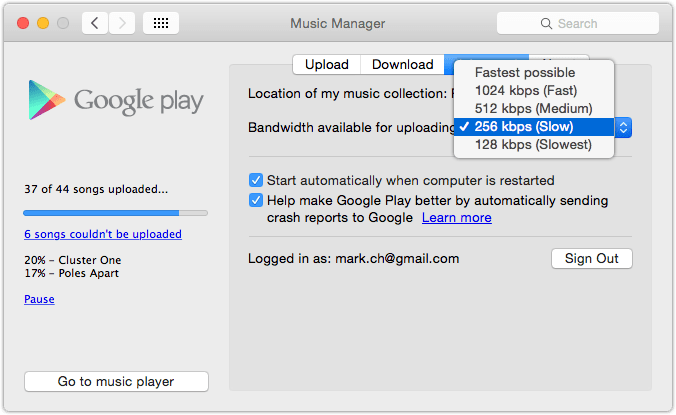
Using Google music is to act play. Is no all in one application to manage your music with Google so to get started you need to download the music manager up or install an extension for Google Chrome.
In Google Chrome with the extension installed you can pointed towards a folder containing your music but with the application you will actually give you the opportunity to sync your iTunes library automatically.
Google music as a major advantage over iTunes match is that it will scan your library and automatically aren’t any tracks Google already has to your collection without uploading them.
iTunes match takes a far more almost nethanderal approach of uploading your music any way and then replacing it with a higher quality version if available.

Given as my ADSL connection is only eight meg down and one Meg up I like this a lot.
.
This approach also means that music starts appearing in your Google play music library instantaneously ready for listening.
Is also means that music starts appearing in your Google play music library pretty much instantaneously ready for listening.
Just like iTunes match if the music uploaded as the bit rate of less than 320 kB it will automatically substitute it for a higher quality version. You can of course pull these tracks back time but in the free version of Google music you can only download it twice.
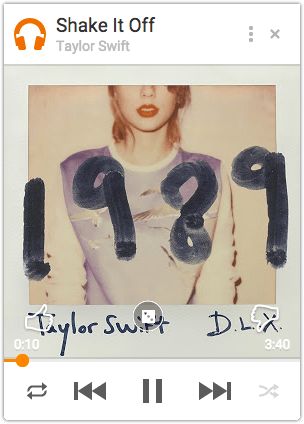
 Unfortunately there is no real app for the mac to listen back to your music unless you count Google Chrome and using a browser and given just how cobbled together the music uploading app looks. It’s doubtful that there is one on the horizon.
For iOS devices there is Google’s native app offering simply called “playing music”and is everything you would want from a music player, clean navigation, responsive and well thought out. The interface also passes the ultimate test of can I use it whilst out walking my dogs.
Even with my 3G signal only showing to darts music playback is blisteringly quick.streaming stance with barely any noticeable lag and even randomly hitting skip forward and Skipback for music tracks there was never noticeable Pause.
A quick update: the only time I noticed appalls is if I jump from track one to let’s say track five.
Playlist support is a touch on the rudimentary side but should get you through. I find it better to do playlist management on the desktop and then let it seemed across devices.
Is no five-star rating system here instead you simply like or dislike a track which then influences music played in the instant mix section.