Not so long ago it looked like Netflix was hardcoding DNS entries right within their Android offering to stop VPN / DNS services such as UnoTelly from letting you watch content not available in your geographical area. Now it seems they really are doubling down on this.
Apple maps looks like it’s starting to take itself seriously. Previously Yelp was the sole source of reviews and where to go but it’s obvious that Yelp’s popularity has wained recently. If you’re going to be a contender in the maps arena then new partnerships with Booking.com and Trip advisory make sense.
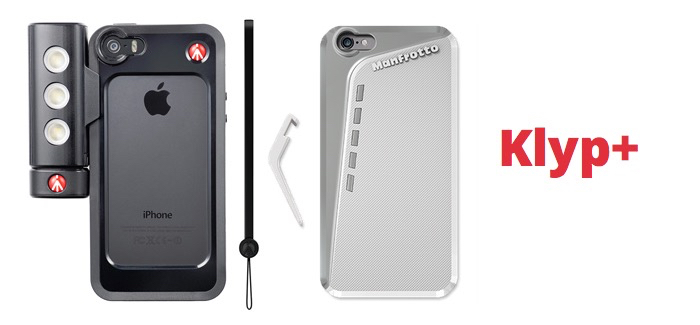
Specifically designed to provide protection for the iPhone 6 and 6 Plus and enhance your ‘iPhonography’ skills, the KLYP+ case is constructed of strong polycarbonate to protect your device from scratches and falls. Each case comes with a small kickstand that props up the iPhone and, thanks to the tripod adaptor, allows you to connect it to any camera support.
One standard has stood the passage of time and thats the ubiquitous office formats from the windows world. Being able to easily edit word, excel file on your iphone / iPad is now common place and with MobiSystems Office Suite app, even better than even Microsofts own offerings.
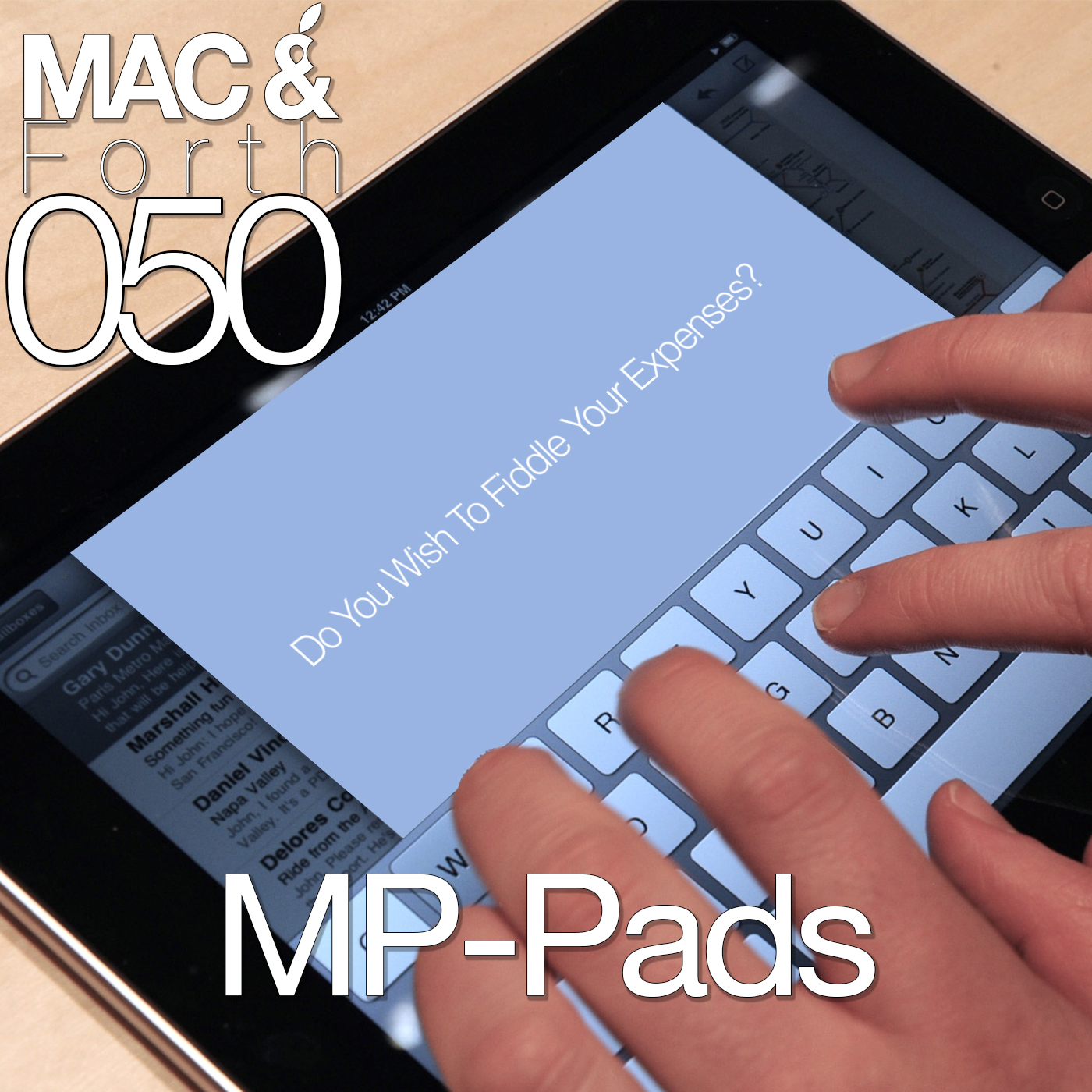
We’re back again on the Mac & Forth that covers all things Apple with a slightly British take on things. Thanks to Karl and the Gang for having us back on and in this episode you’ll find.
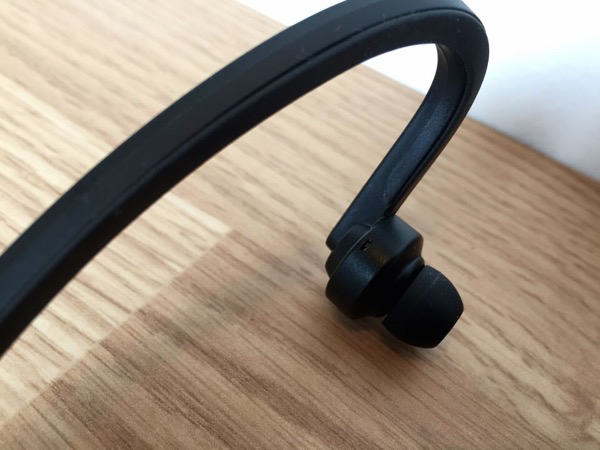
These SPBEAT9 Active Wrap Headphones kicking around on the stack social website for a tempting $24 plus shipping. It might seem like a no-brainer to get a set of wireless headphones given the price points but before you spend your money read on.
Updated. Avoid these at all costs. You can now purchase these for just $5 from AliExpress and since publishing TRNDLabs have removed the SPBEAT9 branding. In short they’ve purchased these cheap, written some copy, taken a few pictures and watched the cash roll in.
The good people over at the Mac And Forth podcast were good enough to let essentialmac come aboard and give their opinions on their 50th episode. From iPads being rolled out through parliament and some great side track conversations, if you’re looking for a Brit based podcast, gwan give us a listen, topics include.
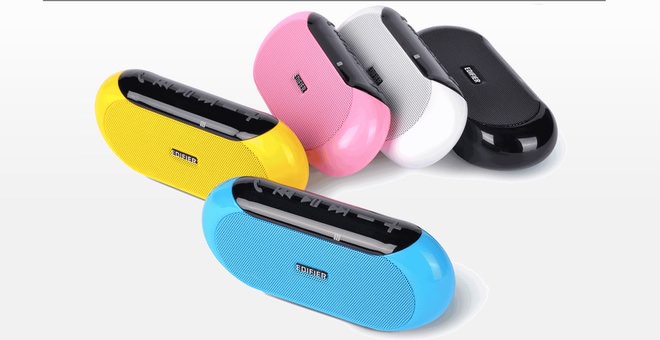
Completely portable with numerous audio options, the EDIFIER MP211 speaker provides a compact audio solution for any occasion or location. Users to easily navigate between the SD card input auxiliary input and Bluetooth input, whilst also being able to change tracks and adjust the volume output.
The Ministry of Sound have just released their own radio app for iOS allowing you to listen to their MoS offering and listening to their live weekender sets.
Glimpse brings website previews to your notification centre letting you “glimpse” at sites without having to unlock your iPhone. Finally notification centre has something to make it less nagging (at least in my case).
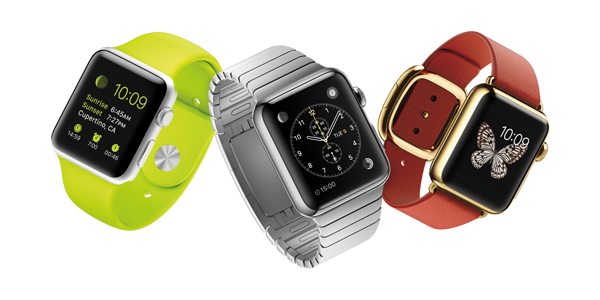
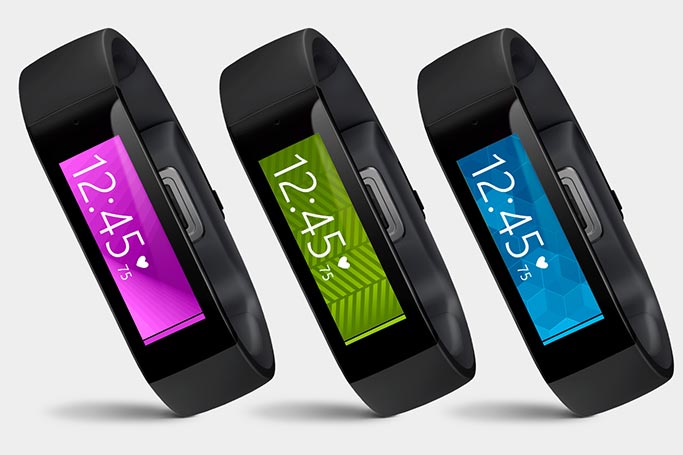
Microsoft goes international with the Band, coming to the UK in AprilMicrosoft goes international with the Band, coming to the UK in April. Amazon are now taking pre order for shipping on April 15
There’s several ways you can speed up your website, use a CDN, get a better host but none of that is going to help unless your images are properly optimised. JpegMini helps do just that, providing the optimum balance between compression, quality and clarity. If you used photoshop or Pixelmator and hit the file, export as jpeg function you could think that the jpeg defaults are set to optimal levels. Turns out this isn’t the case as theres more than one way to compress a jpeg for the best results
This is something I only found out thanks to the Mac And Forth podcast so I take no credit for this finding but JpegMini turns out to be a bit of a gem.
Jpeg mini is a small, easy to use program that shrinks down your jpeg image but proclaims to loose as little amount of the image detail as possible, all down to their own algorithms that look at all of the pixels in an image than taking just an average mix.
JpegMini
What this means in simple terms that JpegMini sees different shades of red as just that, different shades whereas programs like Photoshop tend to group reds in a more generalist sort of way and then clump them together.
Thanks to this more probing way at looking at the whole picture JpegMini claims to have less artefacts, color blow out and that annoying blockiness from things being over compressed. / blooming when you compress images with their app.
I’ve now realised I’ve been making a mistake for the longest time at pulling an image into Pixelmatr, applying a resize, then exporting the file with the default settings looking at the small preview window trying to guess the right balance of size vs quality. It takes a while to trust JpegMini to do the right thing as there’s no preview window, no quality settings just simply drag and drop the image.
So to test this I’ve pulled a selection of photos with varying colors and details for resizing and compression.
JpegMini has a default resize to 960 * 720 pixels, not enabled as default, with no other settings other than to where you want to save the new files.
So to test again Pixelmator, images were opened, resized and then exported as Jpeg twice. Once with default compression settings and then with the level of compression adjusted to match the file size of JpegMini for a true comparison
Not only does the file compression sizes speak for themselves but the quality of image is nothing to be sneeze at either. The amount of compression and clarity, clarity being a keyword here, is spot on.
All of the image and bandwidth savings come at a grand old price of free providing you don’t want to do more than 25 images in a day. A normal edition is available via in app purchase for £14.99 with no limit on the amount of images you can compress but is limited to images of 28 mega pixel or less. For those needing a multi user licence, plugin support and much, much more a pro version is also available with some seriously advanced features to boot with a price to match of £110.
If you want to take agenda at what Jpegmini can do with no uploads or perhaps take a snapshot of your website to see how much in terms of bandwidth / cdn costs you can save, JpegMini’s website will show you graphically what you can save. http://www.jpegmini.com/server
Overall.
Jpegmini represents fantastic value at being free if you want to do no more than 20 images a day.
If you’ve got a majorly busy website with CDN costs attached then JPEGmini is going to recoup its outlay in no time at all.
It;s hard to believe that with no tweaking or settings to play with images can get that compressed and still be as clear as they are.
JpegMini competently delivers in it’s promise to compress images without a major loss in clairty. Recommended.
JpegLite Is Free From The App Store JPEGmini Lite – ICVT Ltd. JPEG mini with more features, 50mp picture limit and unlimited conversions £14.99 JPEGmini Pro, Lightroom support, all cpu core processor support and MUCH, much more £109.99
There’s several ways you can speed up your website, use a CDN, get a better host but none of that is going to help unless your images are properly optimised. JpegMini helps do just that, providing the optimum balance between compression, quality and clarity. If you used photoshop or Pixelmator and hit the file, export as jpeg function you could think that the jpeg defaults are set to optimal levels. Turns out this isn’t the case as theres more than one way to compress a jpeg for the best results
This is something I only found out thanks to the Mac And Forth podcast so I take no credit for this finding but JpegMini turns out to be a bit of a gem.
Jpeg mini is a small, easy to use program that shrinks down your jpeg image but proclaims to loose as little amount of the image detail as possible, all down to their own algorithms that look at all of the pixels in an image than taking just an average mix.
JpegMini
What this means in simple terms that JpegMini sees different shades of red as just that, different shades whereas programs like Photoshop tend to group reds in a more generalist sort of way and then clump them together.
Thanks to this more probing way at looking at the whole picture JpegMini claims to have less artefacts, color blow out and that annoying blockiness from things being over compressed. / blooming when you compress images with their app.
I’ve now realised I’ve been making a mistake for the longest time at pulling an image into Pixelmatr, applying a resize, then exporting the file with the default settings looking at the small preview window trying to guess the right balance of size vs quality. It takes a while to trust JpegMini to do the right thing as there’s no preview window, no quality settings just simply drag and drop the image.
So to test this I’ve pulled a selection of photos with varying colors and details for resizing and compression.
JpegMini has a default resize to 960 * 720 pixels, not enabled as default, with no other settings other than to where you want to save the new files.
So to test again Pixelmator, images were opened, resized and then exported as Jpeg twice. Once with default compression settings and then with the level of compression adjusted to match the file size of JpegMini for a true comparison
Not only does the file compression sizes speak for themselves but the quality of image is nothing to be sneeze at either. The amount of compression and clarity, clarity being a keyword here, is spot on.
All of the image and bandwidth savings come at a grand old price of free providing you don’t want to do more than 25 images in a day. A normal edition is available via in app purchase for £14.99 with no limit on the amount of images you can compress but is limited to images of 28 mega pixel or less. For those needing a multi user licence, plugin support and much, much more a pro version is also available with some seriously advanced features to boot with a price to match of £110.
If you want to take agenda at what Jpegmini can do with no uploads or perhaps take a snapshot of your website to see how much in terms of bandwidth / cdn costs you can save, JpegMini’s website will show you graphically what you can save. http://www.jpegmini.com/server
Overall.
Jpegmini represents fantastic value at being free if you want to do no more than 20 images a day.
If you’ve got a majorly busy website with CDN costs attached then JPEGmini is going to recoup its outlay in no time at all.
It;s hard to believe that with no tweaking or settings to play with images can get that compressed and still be as clear as they are.
JpegMini competently delivers in it’s promise to compress images without a major loss in clairty. Recommended.
JpegLite Is Free From The App Store JPEGmini Lite – ICVT Ltd. JPEG mini with more features, 50mp picture limit and unlimited conversions £14.99 JPEGmini Pro, Lightroom support, all cpu core processor support and MUCH, much more £109.99