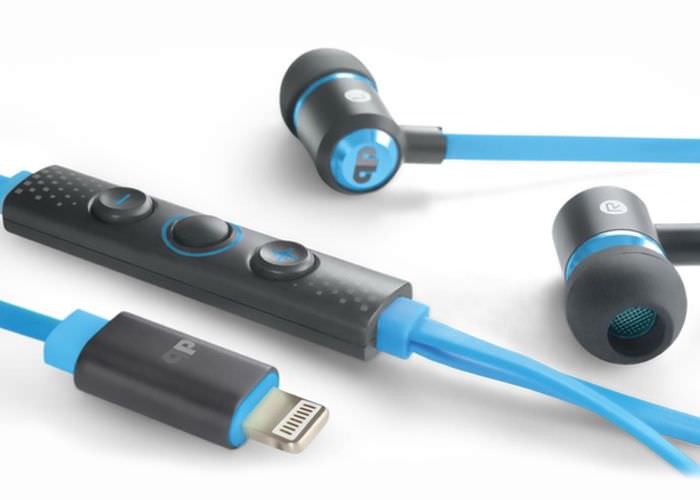
Its traditionaly another quiet spot in the year for Apple so the rumour mills have to crank even harder for stories. According to reports Apple is looking to make the next iPhone even slimmer by ditching the 3.5mm audio jack.
Looking to get your iPad Pro on Sprint will sell you one of few ways Apple insider says the carrier will sell buyers a 120 GB LTE enabled model for $1079 if that price sounds familiar that’s because it’s the same price one would pay Apple for the same machine.
HP is making a new move in a smart watch space though whether you’ll ever see one is kind of a mystery. HP has inked a deal with Titan the fifth largest watchmaker in the world. You know if Apple ever gets around to saying how many Apple watches it sells that list could change.
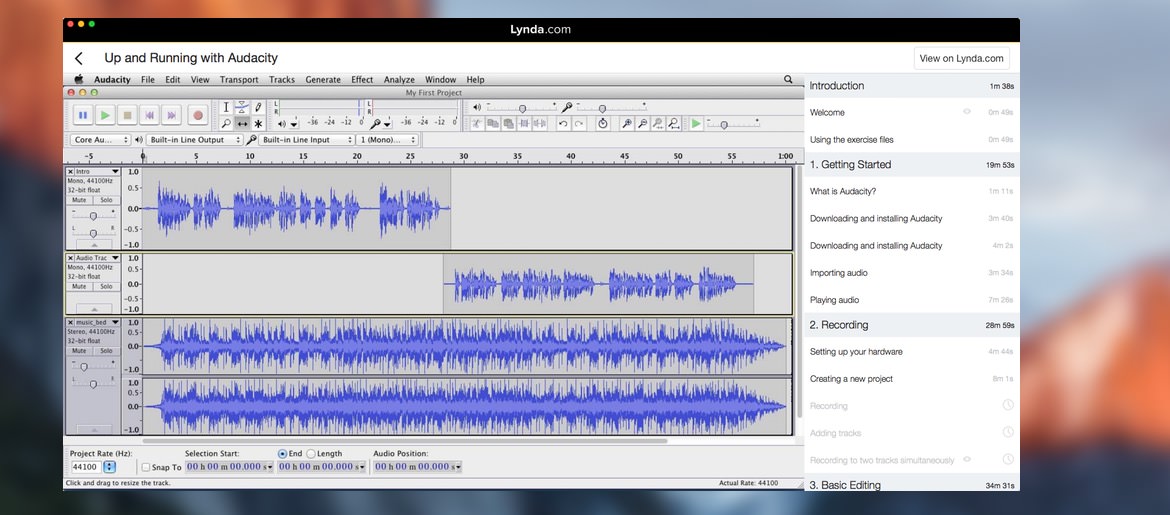
Lynda.com is an online learning company that helps anyone learn software design and business skills to achieve their personal and professional goals.
Are you bored with what you do you like what you do but think you could maybe do it better? Make friends with Linda.com. There are over 4000 courses courses to help your business, your productivity, or your creativity. The courses you’ll find that Lynda.com are used by millions of people around the world and the instructors are top-notch experts who can teach you what they do.
Scratch gate, bend gate, chip gate. It seems that Apple can never release a product these days without some sort of scandal. Now it’s the turn of the iPad pro. Apples latest tablet seems to have major display issues Apple has confirmed.
Dealing with the text portion of any blog is fairly easy just as long as you don’t want to use the official WordPress app on an iPad. For whatever reason text input is incredibly laggy. On the iPhone it is absolutely fine but it’s a pretty useless experience on my iPad.
Some might like to create their work in a text editor or to use the rather excellent app Blogsy. Granted there is a bit of a steep learning curve but it’s well worth the time and investment.
However when it comes to dealing with images this is where the problems really start.
At the top of each blog post I create there is a picture called the hero image. This is the image at the top of every blog post which is then turned into many sized thumbnails. It’s important that this image be the best trade-off between quality and size as it will be resized for thumbnails used throughout.
For this particular site I use dimensions of 700 x 350 pixels.
There are many resizing apps for iOS but they only take the full image and compress it down to those dimensions. What I like to do is create a new image or “canvas” and then frame my image to suit that particular area.
This really isn’t as easy as it sounds. First of all although you can crop a photo within iPhoto on iOS you can’t actually resize the image. Nor can you create a new image and frame to what you’d like to focus on.
It’s not just iPhoto that suffers from this problem. There are a huge array of photo editors that will let you edit a photo but not necessarily let you create a new one and start from fresh. So far only Pixelmator does this.
Heres how I work on the Mac with images
Create a new image with the canvas size set to 700 x 350 pixels.
Drag and drop an image onto the canvas
Use the grab handles to resize the image, move it around so I get what I like in the frame.
Export to a jpeg at 85% quality.*
Use the excellent Jpegmini to compress the image a bit more without losing quality (honestly it’s amazing)
There’s one problem with Pixelmator. You’re limited to using iCloud drive for images
The result below is a handy 111 kB and as you can see looks sharp enough to be used on the blog.
Pixelmator For Mac. canvas size set and then image adjusted to fit. Image size = 111kb
Incidentally if you pass this very same image through the rather excellent JPEG Mini it compresses down to only 67 kB with no noticeable loss of quality.
Now for Pixelmator for iOS.
Following more or less the same steps as on the Mac, I created a new image, set the canvas size to 700 x 350 pixels, inserted an image and then used the drag handles to frame the image as I wanted. Once again the result is below.
Resized on iOS same image is 100kb
The resulting image may be smaller coming in a 100kb but even when I match the file size over on the Mac the desktop version of the image still wins hands down.
Main difference between the 2 images is the lack of sharpening and how jagged the image resized on iOS looks compared to its desktop counterpart. Although you can attribute some jaggedness to the smaller file size, there is also a highly marked decrease in clarity.
The Alternatives
As I said earlier there are plenty of applications out there that will simply let you resize an image but none will let you crop a selected part of the image and then resize that area.
I took a very quick look at the five most popular image editing applications on the App Store which are Google Snapspeed, Photo Editor by Aviary, photo editor and Adobe Photoshop Express. All of these are good in their own right but don’t typically suit this task. Also every application seems to have its own caveat. Here is a very small list of some of the brick walls I’ve met so far.
Right now it seems that Pixelmator is the only true image creating application it does a darn fine job of touching up and adjusting pictures and all manner of fancy tricks but its resizing feature leaves me a little mystified.
Overall.
Whilst it’s technically able to resize and manipulate the images to how I would like them it does mean that I would end up with bigger images and lesser quality. So while yes it can technically do it I don’t think right now it’s worth the trade-off.
I have emailed the Pixelmator team to see if there is a better way to do this, if there is a potential setting I have missed, or if this is simply a limitation of iOS itself rather than the App.
Footnote.
WordPress does do a little bit of image squishing on uploads. I tend to do mine at the desktop so I know what’s going on with quality. I long for JpegMini to come out for iOS somehow.
Updated 18th November – PixelMater Responds.
Hi Mark,
Thanks a lot for the kind words and such a detailed email and don’t worry, your explanation skills are top notch! First of all, the image comes out at a smaller file size on iOS because iOS exports JPEGs at 75% quality by default.
Second of all, you’re right – the image resized on iOS does look jagged. I spoke to the devs about this and they did say that they’re planning to improve resizing on iOS. They also mentioned that it should work better if, instead of resizing the layer, you use Image Setup to resize the entire image (canvas included). I realise that means you’d need to first crop the image to the right dimensions first, which would be a little difficult on the iOS app, considering you need an aspect ratio of 2:1. But that is a possible workaround if you have a larger image with the right aspect ratio already.
Either way, I’ve passed on all this to the devs and they did say that this is something they plan to improve in the future. Thanks for your input and don’t hesitate to get in touch if there’s anything else I can help with!
Knowing that PixelMater exports images at 75% heres another set of image. Same method applied as original.
Biscuit 700×350 75% quality. 98kb – PixelMator Mac
Apple CEO Tim Cook thinks Apple’s new iPad Pro could replace traditional computers for a number of people than Cowan and Company analyst timothy Arcuri things that could be the case at some point
analyst Timothy Arcuri issued a issueda note on Thursday focusing heavily on the new tablet suspects. He says the devices A9X chip beats processors in the 12 inch MacBook and the MacBook Air though it lags behind the core i5 some core i7’s that power the power the MacBook Pro line.
He was similarly impressed with the graphics processing for the new machines though he knows that techs and spec do not a winner make, at least not on their own.
Quoting the report report Arcuri was quick to point out that software developers will ultimately determine how much the iPad Pro can replace a PC for mainstream consumers in particular it remains to be seen whether or not developers can create experiences for the iPad to compare favorably to the same software on a desktop or notebook.
If they can Arcuri’s believes Intel’s mobile CPU business might be most at risk despite the potential for cannibalization within Apple’s own line of higher and Mac products.
quoting Arcuri’s note
while the iPad Pro is not a PC replacement yet Apple and ARM are coming in the hardware is certainly a threat to Intel’s mobile CPU business once the software developers catch up
Of course being an analyst and happy with the new iPad pro Arcuri is clinging to his tepid market perform rating on Apple shares he’s also maintaining his 12 month price target on the stock of $135
Enjoy a cinematic theatre experience with the Edifier CineSound B7 Bluetooth soundbar paired with an 8 inch subwoofer. It’s now time to start watching all those movies in glorious surround sound with this sophisticated system in the comfort of your own home.
The iPad pro is getting into the hands of users. Why not join us in watching Live on periscope Andy ihnatko doing an impressive unboxing and first run with the iPad Pro
T-mobile in the USA have dropped a pretty big bomb in the world of Mobile announcing that popular streaming platforms wont count against your data usage. The new plan is called “Binge On” and will be available from November 15th.
In a recent blog post, Google announced that it intends to discontinue support for Chrome on Windows XP, Windows Vista, and Mac OS X versions 10.6, 10.7, and 10.8 by April 2016 because “these platforms are no longer actively supported by Microsoft and Apple.” Google did not release a specific date when for when it intends to discontinue support.
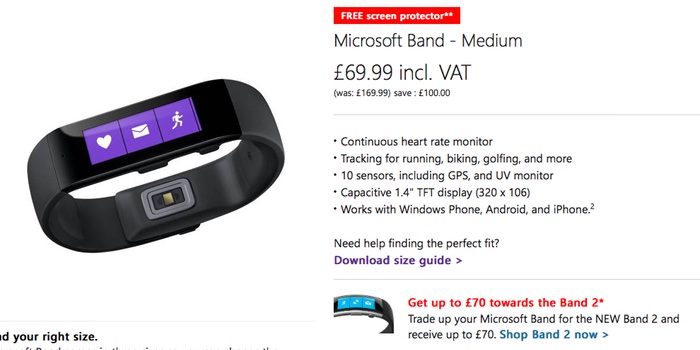
It might be last years tech but it was a sleeping hit for microsoft. You can now pick up the original Microsoft Band from the Microsoft Store UK site for just £69.99 – that’s £100 less than its original list price of £169.99.
To help seal the deal you’ll also get a ZAGG invisibleSHIELD Screen Protector for Microsoft Band which on it own retails at £9.99. The free screen protector will only be included with the Band until November 12, or until stocks run out.
If you already own the Band version 1 then there’s still good news for you as you can trade it in to get £70 if you are interested in pre ordering the Microsoft Band 2
Those pesky hackers have been at it again and this time it’s Touchnote to have a security breach. The data that was accessed included your name, email address, postal address and your Touchnote order history, registered with yourmail@mail.com
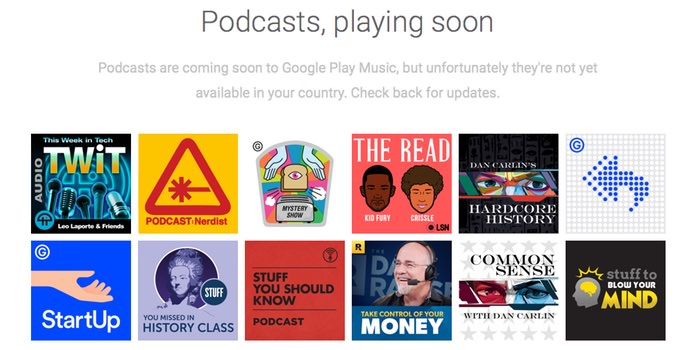
Google’s Play Music platform is set to get podcasts next year but details are scant. Here’s a rundown of the pro’s and con’s on potentially putting your podcast on to the Google Play Music Podcast solution
Google has announced their own podcasting platform that almost anyone is free to join. Free as long as you have a podcast, google play account and live in the USA then you can sign up to be part of their new podcasting platform.
To that end, today we’re launching a portal for podcasters to start uploading their shows to Google Play Music before we open up the service to listeners. Along with direct searches and browsing for podcasts, the service will connect new listeners with podcasts based on what they’re doing, how they’re feeling, or what they’re interested in. Similar to our contextual playlists for music, this will give podcast fans and new listeners a way of finding and listening to content that’s unique to Google Play Music.
Missing from the quote is “Podcasters in the US can start uploading shows now at g.co/podcastportal.” However UK podcasters can get around the GEO block with a simple VPN. Although the Rampant Mumblings is a UK cast the submission processed still seemed to have worked.
I’d be incredibly interested to see what the demographics are going to be like being predominantly Android. I wonder how many android types tune into podcasts, let alone Apple based ones.
Our very own Podcast, Rampant Mumblings, has been submitted and we’ll keep you posted as to how the process goes.