I love being on the open road. Traveling the country lanes of our fair nation is a joy. Obviously I am blanking out the many times I’ve been stuck in horrendous traffic jams or the freezing cold days punctuated with that really annoying drizzle.
In the grand old days a driver, for entertainment, could only count on their radio, CD/tape collection or watching the antics of drivers owning certain Germany manufactured vehicles. Today it is all rather different thanks to the wonderful little (well, maybe not so little since the 6S+) iPhone.
This device, and I’m sure many other mobile devices, has revolutionised how we both inform and entertain ourselves while chewing up the miles. Let me explain the tools, tricks and tips that I use everyday as a digital road warrior…minus leather jacket.
Unlimited Data
 The most important aspect for any road warrior is data. You need lots of it. Fortunately many carriers now offer _Unlimited Data_ tiers. These are usually a little more expensive and it pays to shop around if you can but they are a lifesaver. I can usually get by without having to call or text someone but I always need data. Personally I go with 3’s all you can eat data add-on. This costs me £20 a month and I get 300 mins talk time, 3,000 texts and, most importantly, all I can eat data. I’m sure there is probably a cap on this service somewhere but I’ve yet to run into it.
*UPDATE: I was contacted today by 3 and informed that the £20 All You Can Eat Data plan will be increasing to £25 very soon.
Hardware
Once the data requirements are met it’s time to focus on the hardware.
 There are so many iPhone holders on Amazon. Some clamp your phone and others that you slide in and secure. I have used many of these in the past but have recently discovered the joys of magnetised holders. These usual consist of a metal disc you stick on the back of your device or a metallic card that you slip inside the back of your phones case, if it’s not too thick.
You want to get a fairly strong magnet or you invite the risk of your phone falling from the cradle if you transverse a really bumpy road.
The main benefit of the magnetised cradles is the simple ability to snatch your phone from the magnet as you leave the vehicle and the subsequent ease of reattachment when you return. Nothing to fiddle with, just plop it on and pull it off when needed.
 When you are on the road using navigational apps, streaming music or even making a call you are constantly draining your battery. As a result a USB car charger is a must. Again these devices are plentiful on Amazon but I would recommend a named brand when it comes to plugging power related items into your mobile device.
This, along with the next item, will ensure your battery is always charged and your device ready for action.
 This completes your iPhones charging needs. Once again, as this is responsible for feeding power to your device, I’d recommend a named brand. These might be a little more expensive but they should also be more reliable and safer.
(e.d Speaking from experience I’ve seen first hand what happens when you buy the cheapest of the cheap cables. They tend to get warm and just a little bit melty)
Apps
Obviously the phones strong point is the amount of apps that can transform it from a navigation device to a media streaming device to a communications device. Here I will list of applications that find invaluable while on the road each day.
SIRI
 Apple’s digital virtual assistant has come a long way and can now perform so many more functions than when it first introduced to us. However, there is a big caveat that needs to be taken into consideration, you need to have a quiet vehicle environment for SIRI to understand you. The few times I have had such a vehicle I have been astounded by just how well SIRI performed.I was having new messages read to me, dictating back responses, setting reminders, asking questions, calling for playlists and many other activities. Unfortunately if you environment is noisy SIRI becomes your digital virtually useless assistant, only occasionally performing the tasks you request, which is a virtual shame.
 For years TomTom was the king of navigation with close competition from Garmin. There dominance came to a halt with the addition of GPS technol ogy built into phones. Once Apple allowed access to the GPS signal it allowed many applications, very often free, to challenge the old guards stranglehold.I have tried numerous apps over the years, starting out with TomTom’s very own. I tried Google maps, Apple Maps (no, I never got lost…honest) but I always return to Waze.
Waze is a crowd sourced service that studies what all of its users are doing and translates that into the corresponding traffic conditions they are facing. As a result, when you ask it for directions it bases it’s results on the activity around you and does it’s best to route you through less congested roads.
This is most effective in heavily populated areas as the more users engaging with the service creates a more comprehensive snapshot of the current road conditions.
This is the app I use the most. It has saved me so much time over the years by pulling me off motorways before I get ensnared in a horrendous tailback. If you only ever try one of the apps listed here make sure it is this one.
As stated above this app is constantly placing great demands on your phones battery so either use it sparingly or in conjunction with the charger and cable above.
Apple Music/Spotify
 A long drive usually is a lot less of a drag if you have some entertainment. Fortunately with the plethora of todays streaming music apps you have access to far more tracks that you could ever carry around in a CD Wallet.Spotify is still the most popular choice out there but Apple Music is gaining fast. I personally use Apple Music because of the integration with SIRI. Although many have complained about a confusing user interface I have never found it problematic and the ability to simply say ‘Hey SIRI, play some Gun’s N Roses’ or whatever band comes to mind, is wonderful. It also keeps both my hands on the wheel and, hopefully, in full control.
A note to remember is that both services don’t only offer Music. Just recently I have rediscovered listening to stand up comics while driving as both these services offer many wonderful comedy albums. I spent a pleasant long drive recently listening to both Bill Hicks and Jasper Carrot, as one often does.
 Sometimes music and comedy is not enough and I want something a little different. I have been a member of Audible for a few years now and have amassed a pretty large library of audiobooks.Once a month I get a new credit and I take to the store to see if there is anything I want. I am a thriller and horror story fan so I have recently had the pleasure of listening to some old and new classics from Stephen King, James Herbert, Tom Clancy and many others. Of course Audible offer more than just fiction and I have enjoyed more factual books will driving which help to expand ones knowledge of various topics.
Don’t be put off by the many ads you hear for Audible on Podcasts, it really is a fantastic service and well worth the subscription.
 Obviously I would be getting to podcasts eventually and here we are. There are a number of podcast players but my personal favourite is Overcast.
Overcast does have one pretty big omission though in that it doesn’t play video podcasts. For me this isn’t such a big deal as, with the possible exception of some TWiT shows, I have very little interest in watching Skype conversations between often middle-aged men with poor lighting and the room of their spare bedroom as their backdrop…Yes, I know I’ve have done this myself…let’s not dwell on it shall we?
However Overcast does offer a number of other features that I find really useful. The creator took the time to create his own audio engine which sounds great. This also means that is you speed up the audio it still sounds good but will allow you to get through longer podcasts that much quicker without missing any of the content or making the hosts sound like Pinky and Perky. To further speed up episodes the app also automatically takes out long pauses (if the producer hasn’t already done this) thus keeping all shows nice and snappy.
 Having your own content on demand is always nice but sometimes you want to join in with the world. Although I could listen to a number of radio stations as I travel none of them really tend to focus on the music genres I like.
This is where a nice global radio app comes in handy. Within moments you can search for artists, countries, genres or shows and discover pretty much anything you want. I personally use this for find Country Music stations (yeah, I said it) while driving around Bedfordshire, or anywhere else my travels take me.
Regardless of what kind of radio show you like you can always find something here.
 This handy little app allows you to share you location with someone else and allows them to see your progress virtually in real-time. I have used this several times when I am supposed to arrive at a certain place for a certain time. If I have the relevant contact information I can send the customer/associate a link and they can watch my progress. After a user controlled alloyed time the link goes dead so they can’t track you forever. Again, as this is constantly using the GPS aspects of the phone it is a bit of a battery drain so again it is probably wise to have your phone plugged in and charging if you plan to use the service for any extended period.However, be prepared to explain what app you used when you arrive at your destination as it generally invokes such a request.
That’s my list of hardware and apps I use every day while chewing up the miles., I hope you find them useful. What about you? Do you have any apps that you absolutely need while out on the roads? If so please comment below and share your favourites with the rest of us and until next time, safe driving.

 The 2016 update brings a complete redesign of the app’s interface, simplifying navigation and making it even more visually pleasing. Browsing through other users’ posts can be done via more ways, including searching by hashtags, sorting by most popular, latest or nearby.
  ShutterBee’s userbase is comprised of travelers from over 80 countries. Every day they post photos from destinations that may be off the beaten track. This makes the app attractive for users who may not be able to travel a lot, but who get the chance to explore new destinations through other travelers’ eyes. The app is receiving positive feedback from reviewers online and offline.
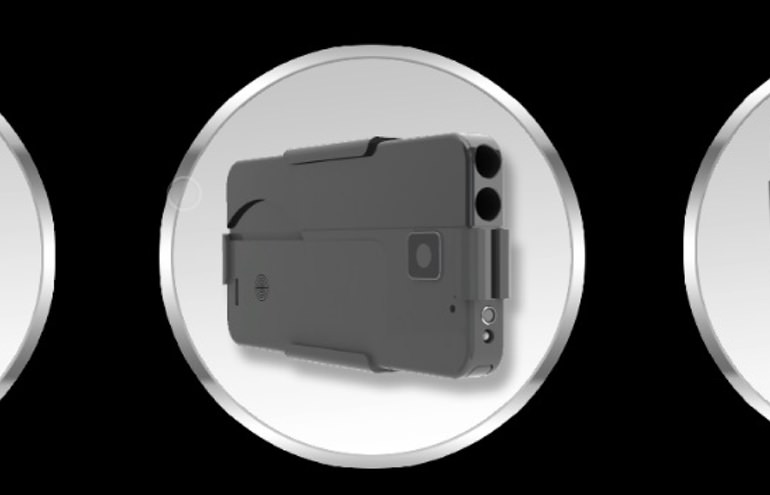
 The world can feel a pretty scary place these days and so I guess it’s understandable that those who have laws allowing them to own and carry firearms think they are their best protection again bad guys. I am not going